









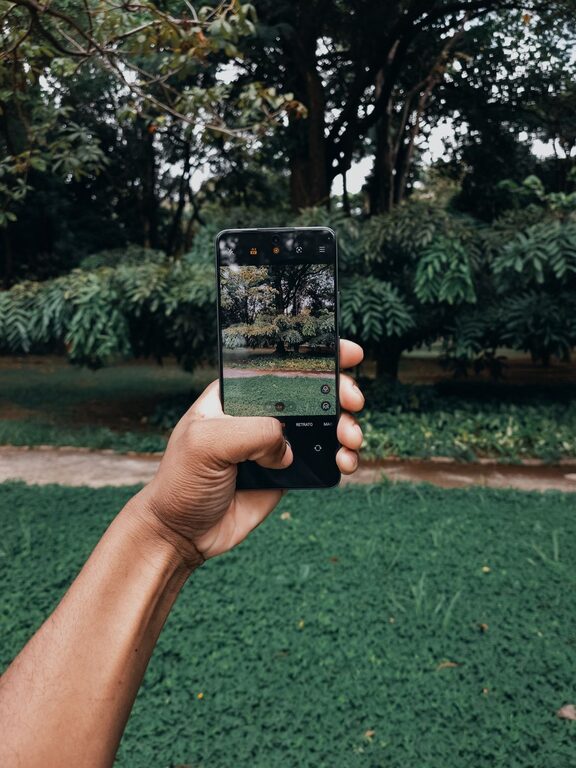
Taking great photos with your phone is easier than you might think. Even if you’re new to photography, a few simple tips can help you capture clearer, more interesting images. In this guide, we’ll share beginner-friendly advice to help you make the most of your phone’s camera and take pictures you’ll be proud to share.
Understanding Your Phone Camera
Before diving into tips, it’s helpful to know what your phone camera can do. Most modern smartphones come with powerful cameras that include automatic settings, multiple lenses, and editing tools. Spend a few minutes exploring your camera app so you know where to find these features.
– Explore shooting modes: Your phone may have portrait, panorama, night mode, or even manual settings.
– Check the settings: Adjust resolution and enable grid lines to help with composition.
– Use the lenses: Many phones have wide-angle or zoom lenses—try them out to see the difference.
Tip 1: Keep Your Lens Clean
A simple but often overlooked step is cleaning the camera lens. Because phones are used frequently, dust, fingerprints, and smudges can collect on the lens, causing blurry or hazy photos.
– Use a soft microfiber cloth to gently wipe the lens before taking photos.
– Avoid using rough materials, which can scratch the lens.
Tip 2: Use Natural Light
Good lighting is key to great photos. Whenever possible, use natural light instead of the built-in flash.
– Shoot outdoors or near windows to take advantage of daylight.
– Early morning or late afternoon light tends to be softer and warmer, producing more pleasing photos.
– Avoid harsh midday sunlight, which can create unflattering shadows.
– If shooting indoors, position your subject near a bright source of light.
Tip 3: Focus on Composition
How you arrange elements in your photo can make a big difference.
– Use the grid: Turning on the grid lines in your camera app helps apply the “rule of thirds.” Position important elements where grid lines intersect to create balanced photos.
– Look for leading lines: Roads, fences, or rivers that draw the eye toward the subject add depth.
– Keep it simple: Avoid cluttered backgrounds. A clean background makes your subject stand out.
– Change your perspective: Try shooting from different angles—high above, at ground level, or tilted—to find a more interesting viewpoint.
Tip 4: Hold Your Phone Steady
Blurry photos often happen because the camera moves while the picture is being taken.
– Hold your phone with both hands to reduce shaking.
– Brace your elbows against your body or a stable surface for extra stability.
– Use the volume buttons or an external shutter button for taking photos to avoid tapping the screen.
– If your phone supports it, try using a small tripod or phone stand.
Tip 5: Adjust Exposure and Focus
Many phones let you tap the screen to focus on a particular area of the frame. This directs the camera to prioritize that spot for sharpness and brightness.
– Tap on your subject before snapping the photo.
– Slide your finger up or down (depending on your phone) to manually adjust brightness.
– This helps avoid photos that are too dark or too bright.
Tip 6: Avoid Zooming In Too Much
Digital zoom reduces the quality of your photo by cropping and enlarging the image.
– Instead of zooming, try moving closer to your subject.
– If getting closer isn’t possible, consider cropping the photo later using editing tools.
Tip 7: Experiment with Editing
Editing can enhance your photos and correct any minor imperfections.
– Use built-in editing tools or free apps to adjust brightness, contrast, saturation, and crop.
– Don’t overdo filters—aim for natural-looking results.
– Learn to straighten horizons and remove distractions using the crop and heal tools.
Tip 8: Practice Regularly
Like any skill, your photography will improve with practice.
– Challenge yourself to take photos every day or on special outings.
– Review your pictures and note what works and what can improve.
– Try photographing different subjects like landscapes, portraits, or close-ups.
Final Thoughts
Improving your phone photography doesn’t require expensive gear or complicated techniques. With a little attention to lighting, composition, and steadiness, you can create photos that capture memories beautifully. Take time to explore your phone’s camera features, practice regularly, and don’t be afraid to experiment. The more you shoot, the better your photos will become!
Happy shooting!